Archives For November 30, 1999

if you want to play with the latest postgresql development snapshot here is a very simple makefile which does the work for you ( given that you have installed all the dependencies required for building postgresql ):

PGBASEVER=9.3
PG=http://ftp.postgresql.org/pub/snapshot/dev/postgresql-snapshot.tar.bz2
PGFILE=postgresql-snapshot.tar.bz2
CURRDIR=$(shell pwd)
DATADIR=$(CURRDIR)/data

fromscratch: reset download buildpg initdb startdb

reset: stopdb
        rm -rf build
        rm -rf install
        rm -rf data
        mkdir build
        mkdir install
        mkdir data

download:
        wget ${PG}
        mv ${PGFILE} build/

buildpg:
        ( cd build && tar -axf ${PGFILE} )
        ( cd build/postgresql-${PGBASEVER}* && ./configure --prefix=${CURRDIR}/install )
        ( cd build/postgresql-${PGBASEVER}* && make )
        ( cd build/postgresql-${PGBASEVER}* && make check )
        ( cd build/postgresql-${PGBASEVER}* && make install )

initdb:
        ( cd install/bin && ./initdb -D ${DATADIR} )

startdb:
        ( install/bin/pg_ctl -D ${DATADIR} start ) 

stopdb:
        if [ -f ${DATADIR}/postmaster.pid ]; then \
                ( install/bin/pg_ctl -D ${DATADIR} stop -m fast ) \
        fi

copy this to a directory where you are the owner of, name the file “Makefile” and execute:

make fromscratch

this will create the directories, download the latest snapshot, compile the source and start the postgresql database ( this takes 4 minutes on my mint workstation ). once the script finished you may connect to the database and start playing:

install/bin/psql postgres
psql (9.3devel)
Type "help" for help.

postgres=# \h create materialized view
Command:     CREATE MATERIALIZED VIEW
Description: define a new materialized view
Syntax:
CREATE [ UNLOGGED ] MATERIALIZED VIEW table_name
    [ (column_name [, ...] ) ]
    [ WITH ( storage_parameter [= value] [, ... ] ) ]
    [ TABLESPACE tablespace_name ]
    AS query
    [ WITH [ NO ] DATA ]

postgres=# 

of course you may put this in a shell script, too. but this way it was more fun :)

some day

user stati in oracle

March 18, 2013 — 3 Comments

did you ever wonder which status a user in oracle can be in ? there is a small table which answers this question ( this is on 11.2.0.3 ):

SQL> select * from sys.user_astatus_map order by 1;

   STATUS# STATUS
---------- --------------------------------
	 0 OPEN
	 1 EXPIRED
	 2 EXPIRED(GRACE)
	 4 LOCKED(TIMED)
	 5 EXPIRED & LOCKED(TIMED)
	 6 EXPIRED(GRACE) & LOCKED(TIMED)
	 8 LOCKED
	 9 EXPIRED & LOCKED
	10 EXPIRED(GRACE) & LOCKED

9 rows selected.

don’t ask me what happened to status 3 and 7 :)

if you read the title you might think there is not much to say about. but if you come from the oracle world there is actually a huge difference in how postgresql handles updates in contrast to oracle.

let’s start with a simple table:

create table t1 ( a int );
insert into t1 (a) values (1);
insert into t1 (a) values (2);
insert into t1 (a) values (3);

for pointing out the differences I’ll use an extension called pageinspect. for making use of this extension you’ll have to create it:

create extension pageinspect;

this will create a couple of functions which assist in inspecting database pages:

\dx+ *inspect*
    Objects in extension "pageinspect"
            Object Description            
------------------------------------------
 function bt_metap(text)
 function bt_page_items(text,integer)
 function bt_page_stats(text,integer)
 function fsm_page_contents(bytea)
 function get_raw_page(text,integer)
 function get_raw_page(text,text,integer)
 function heap_page_items(bytea)
 function page_header(bytea)

coming back to the test table which contains three rows ( or tuples in postgresql wording ) right now. making use of the heap_page_items and get_raw_page functions of the pageinspect extension we may display some internals of the table’s page:

select lp, lp_len, t_xmin
     , t_xmax, lp_off, t_ctid 
  from heap_page_items(get_raw_page('t1', 0));
 lp | lp_len | t_xmin | t_xmax | lp_off | t_ctid 
----+--------+--------+--------+--------+--------
  1 |     28 |   9271 |      0 |   8160 | (0,1)
  2 |     28 |   9272 |      0 |   8128 | (0,2)
  3 |     28 |   9273 |      0 |   8096 | (0,3)

not going too much into the details right now this tells us that page zero of table t1 contains three rows. this is consistent with the inserts from above. what happens if we update one of the rows ?

update t1 set a=4 where a=1;

from an oracle perspective the answer will be clear: the row in question will be read, updated and written back once committed ( although it is the whole block or page that is read and written rather than the individual row ). oracle uses the undo data to create the old row version for others if they request the row before the commit.

let’s see what postgresql did:

SELECT lp, lp_len, t_xmin
     , t_xmax, lp_off, t_ctid 
  from heap_page_items(get_raw_page('t1', 0));
 lp | lp_len | t_xmin | t_xmax | lp_off | t_ctid 
----+--------+--------+--------+--------+--------
  1 |     28 |   9271 |   9274 |   8160 | (0,4)
  2 |     28 |   9272 |      0 |   8128 | (0,2)
  3 |     28 |   9273 |      0 |   8096 | (0,3)
  4 |     28 |   9274 |      0 |   8064 | (0,4)

ups, four rows/tuples now. what happened ? the first point you might have noticed is the t_xmax that got set for the first row. t_xmin is the transaction id that did the insert of the rows/tuples. t_xmax is the transaction that will get set if a tuple/row either gets updated or deleted. this actually means that transactions after t_xmax will not see this row/tuple. this is how postgresql implements multiversion concurrency control ( mvcc ). in other words: transactions below 9274 will see the first row, transaction greater 9274 will not see the first row anymore.

what actually happened is a delete of the first row and an insert of the fourth row and that’s the difference between oracle and postgresql. in postgresql an update is a delete followed by an insert. you might wonder what happens to the deleted row as it is still present in the page. that’s were vacuum kicks in:

vacuum verbose t1;
INFO:  vacuuming "public.t1"
INFO:  "t1": found 1 removable, 3 nonremovable row versions in 1 out of 1 pages
DETAIL:  0 dead row versions cannot be removed yet.
There were 0 unused item pointers.
0 pages are entirely empty.
CPU 0.00s/0.00u sec elapsed 0.00 sec.
VACUUM
(sysdba@[local]:1540)[ppas92] > SELECT lp, lp_len, t_xmin
                                        , t_xmax, lp_off, t_ctid 
                                     from heap_page_items(get_raw_page('t1', 0));
 lp | lp_len | t_xmin | t_xmax | lp_off | t_ctid 
----+--------+--------+--------+--------+--------
  1 |      0 |        |        |      4 | 
  2 |     28 |   9272 |      0 |   8160 | (0,2)
  3 |     28 |   9273 |      0 |   8128 | (0,3)
  4 |     28 |   9274 |      0 |   8096 | (0,4)

vacuum takes care of the expired rows and deletes the pointers. if you did not disable the autovacuum process the database takes care of this on its own and you do not need to worry about it.
one point to remember is that the space for the deleted row only will get released if you do a vacuum full:

vacuum full verbose t1;
INFO:  vacuuming "public.t1"
INFO:  "t1": found 0 removable, 3 nonremovable row versions in 1 pages
DETAIL:  0 dead row versions cannot be removed yet.
CPU 0.00s/0.00u sec elapsed 0.02 sec.
VACUUM
(sysdba@[local]:1540)[ppas92] > SELECT lp, lp_len, t_xmin
                                     , t_xmax, lp_off, t_ctid 
                                  from heap_page_items(get_raw_page('t1', 0));
 lp | lp_len | t_xmin | t_xmax | lp_off | t_ctid 
----+--------+--------+--------+--------+--------
  1 |     28 |   9290 |      0 |   8160 | (0,1)
  2 |     28 |   9291 |      0 |   8128 | (0,2)
  3 |     28 |   9292 |      0 |   8096 | (0,3)

otherwise the space will just get reused when appropriate.

in postgresql there is the “create role” command to create both: a role and a user. in oracle there is “create user” and “create role”. but in the background it is almost the same:

SQL> create role my_role;

Role created.

SQL> create user u identified by u;

User created.

SQL> select name, type# from user$ where name in ('MY_ROLE','U');

NAME				    TYPE#
------------------------------ ----------
MY_ROLE 				0
U					1

it is the type, that matters.

Bug 9406768 reminded me on the importance of reading this document before starting to use the product:

“The 11.2 deinstallation utility is removing all the homes under Oracle base if these homes are not using the same central inventory and the deinstallation utility finds this home is the only one registered in inventory.

Workaround: While installing 11.2 products:

Oracle does not recommend using multiple central inventories. Avoid this if possible.

If for some reason a different central inventory is required, use a different Oracle base directory for each central inventory.”

twenty rules

March 7, 2013 — Leave a comment

just came across an interesting post of Josh Berkus who desribed his 20 rules of software consulting. worth reading ( and made me smile ) ….

20 Rules of Software Consulting

offline troubleshooting

February 28, 2013 — Leave a comment

the situation: a customer faces issues with his oracle database. you cannot go on-site for some reasons and you cannot connect to the database in question. what options do you have to support them ?

  • request a current awr/ash report and try find an issue from there
  • request execution plans if the issue is with bad performing statements and try if you might see anything there without knowing the data
  • try to support them by phone

there is another option some people might not know or are not aware of: dumping the awr data and importing it to your own database for further analysis. as this will include only awr data no user data will be submitted ( except for literals in sql statements, if there are any ) and you don’t need to worry about data privacy.

first of all you need to ask for an awr extract. there is a script which does all the work and you just need to execute it:

SQL> @?/rdbms/admin/awrextr.sql

the header displayed already tells you what the script will do and how to use it:

~~~~~~~~~~~~~
AWR EXTRACT
~~~~~~~~~~~~~
~~~~~~~~~~~~~~~~~~~~~~~~~~~~~~~~~~~~~~~~~~~~~~~~~~~~~~~~~~~~~~~~~~~~
~  This script will extract the AWR data for a range of snapshots  ~
~  into a dump file.  The script will prompt users for the	   ~
~  following information:					   ~
~     (1) database id						   ~
~     (2) snapshot range to extract				   ~
~     (3) name of directory object				   ~
~     (4) name of dump file					   ~
~~~~~~~~~~~~~~~~~~~~~~~~~~~~~~~~~~~~~~~~~~~~~~~~~~~~~~~~~~~~~~~~~~~~

the parameters the script will ask for are the same as when creating awr reports except you’ll additionally need a directory to store the dump file ( DATA_PUMP_DIR, by default ).

that’s it. the script will start the dump process:

| ~~~~~~~~~~~~~~~~~~~~~~~~~~~~~~~~~~~~~~~~~~~~~
|  The AWR extract dump file will be located
|  in the following directory/file:
|   /opt/oracle/product/base/11.2.0.3/rdbms/log/
|   demo.dmp
| ~~~~~~~~~~~~~~~~~~~~~~~~~~~~~~~~~~~~~~~~~~~~~
|
|  *** AWR Extract Started ...
|
|  This operation will take a few moments. The
|  progress of the AWR extract operation can be
|  monitored in the following directory/file:
|   /opt/oracle/product/base/11.2.0.3/rdbms/log/
|   rman.log

End of AWR Extract

… and once finished the dump file can be copied from the location provided:

SQL> !ls /opt/oracle/product/base/11.2.0.3/rdbms/log/
rman.dmp  rman.log  dp.log

so far for the dump part. once you received the dump file how to import it into your own database ? not a big deal:

SQL> @?/rdbms/admin/awrload.sql

again, the header will tell you pretty much everything you’ll need to know:

~~~~~~~~~~
AWR LOAD
~~~~~~~~~~
~~~~~~~~~~~~~~~~~~~~~~~~~~~~~~~~~~~~~~~~~~~~~~~~~~~~~~~~~~~~~~~
~  This script will load the AWR data from a dump file. The   ~
~  script will prompt users for the following information:    ~
~     (1) name of directory object			      ~
~     (2) name of dump file				      ~
~     (3) staging schema name to load AWR data into	      ~
~~~~~~~~~~~~~~~~~~~~~~~~~~~~~~~~~~~~~~~~~~~~~~~~~~~~~~~~~~~~~~~

a few things to take care of:

  • when you get asked for the dumpfile pass the filename without the file extension ( in my case “rman” instead of “rman.dmp” )
  • the load will temporarily create a staging schema ( AWR_STAGE ) and will drop it once the load finished

so, now you have the remote databases’ awr data available on your private database. what to do next ? maybe, in the first step you would like to create a set of awr reports to get an overview of the remote system. now, your are able to do this.

in a first step you’ll need the dbid and instance id for the remote database:

SQL> select DBID,INSTANCE_NUMBER,DB_NAME,INSTANCE_NAME,HOST_NAME 
               from DBA_HIST_DATABASE_INSTANCE;

	 DBID INSTANCE_NUMBER DB_NAME	INSTANCE_NAME	 HOST_NAME
------------- --------------- --------- ---------------- --------------------
   3551282359		    1 DEMO	demo		 ol6ora.local
   1664148667		    1 RMAN	rman		 ol6ora2.local

in may case “RMAN” is the remote database for which the awr statistics where imported to my local database “DEMO”. let’s see what snapshots are available for this dbid:

SQL> select SNAP_ID,BEGIN_INTERVAL_TIME,END_INTERVAL_TIME 
           from dba_hist_snapshot where DBID=1664148667;

SNAP_ID BEGIN_INTERVAL_TIME	  END_INTERVAL_TIME
------- ------------------------- -------------------------
   8096 16-FEB-13 04.00.52.846 AM 16-FEB-13 05.00.54.990 AM
   8097 16-FEB-13 05.00.54.990 AM 16-FEB-13 06.00.57.548 AM
   8098 16-FEB-13 06.00.57.548 AM 16-FEB-13 07.00.59.883 AM
   8099 16-FEB-13 07.00.59.883 AM 16-FEB-13 08.00.01.952 AM
   8100 16-FEB-13 08.00.01.952 AM 16-FEB-13 09.00.04.200 AM
   8101 16-FEB-13 09.00.04.200 AM 16-FEB-13 10.00.06.321 AM
   8102 16-FEB-13 10.00.06.321 AM 16-FEB-13 11.00.09.183 AM
   8103 16-FEB-13 11.00.09.183 AM 16-FEB-13 12.00.11.274 PM
...

that’s enough information to produce some reports:

SQL> define inst_num     = 1;
SQL> define inst_name    = 'rman';
SQL> define db_name      = 'RMAN';
SQL> define dbid         = 1664148667;
SQL> define begin_snap   = 8098;
SQL> define end_snap     = 8100;
SQL> define report_type  = 'html';
SQL> define report_name  = /tmp/first_awr_report.html
SQL> @?/rdbms/admin/awrrpti.sql

maybe the reports you generated are sufficient for giving the right hints. but there is even more you could do with all the statistic data available:

as an example, let’s say you want to display the load of the server for a period of two snapshots. for this there is statistic called “LOAD” which you can query:

SELECT to_char(t.begin_interval_time, 'DD.MM.YYYY-HH24:MI:SS' )
     , o.value
  FROM dba_hist_osstat o
     , dba_hist_snapshot t
 WHERE o.dbid = 1664148667
   AND o.dbid = t.dbid
   AND o.snap_id = t.snap_id
   AND o.snap_id BETWEEN 8098 AND 8110
   AND o.stat_name = 'LOAD'
 ORDER BY o.snap_id;

TO_CHAR(T.BEGIN_INT	 VALUE
------------------- ----------
16.02.2013-06:00:57 .829101563
16.02.2013-07:00:59 .629882813
16.02.2013-08:00:01 .309570313
16.02.2013-09:00:04   .1796875
16.02.2013-10:00:06 .329101563
16.02.2013-11:00:09 .279296875
16.02.2013-12:00:11 .119140625
16.02.2013-13:00:13 .649414063
16.02.2013-14:00:15 .919921875
16.02.2013-15:00:17 .459960938
16.02.2013-16:00:20 .889648438
16.02.2013-17:00:22 .629882813
16.02.2013-18:00:24 .549804688

wouldn’t it be nice to display theses values in a picture ? put these numbers to a file:

echo "16.02.2013-06:00:57 .829101563
16.02.2013-07:00:59 .629882813
16.02.2013-08:00:01 .309570313
16.02.2013-09:00:04   .1796875
16.02.2013-10:00:06 .329101563
16.02.2013-11:00:09 .279296875
16.02.2013-12:00:11 .119140625
16.02.2013-13:00:13 .649414063
16.02.2013-14:00:15 .919921875
16.02.2013-15:00:17 .459960938
16.02.2013-16:00:20 .889648438
16.02.2013-17:00:22 .629882813
16.02.2013-18:00:24 .549804688" > /tmp/graph1.lst

define a gnuplot definition:

echo "set terminal png 
set xlabel \"Time\"
set xdata time
set timefmt "%d.%m.%Y-%H:%M:%S" 
set title 'OS-Load'
set format y \"%10.1f\" 
plot \"/tmp/graph1.lst\" using 1:2 with lines title 'OS Load'" > /tmp/graph1.plot

.. create the png file:

gnuplot /tmp/graph1.plot > graph1.png

… and have a look at it:

display graph1.png

server load

for those who don’t know: dbms_xplan also works with dbid, so you may generate the execution plans for statements from the remote instance ( although the below is not a very useful example ):

SELECT * 
 FROM TABLE ( dbms_xplan.display_awr ( '3s1hh8cvfan6w'
                                     , '2137789089'
                                     , 1664148667     -- remote_dbid
                                     , 'ADVANCED' ) );
Plan hash value: 2137789089

---------------------------------------------------------------------------------------------
| Id  | Operation			  | Name    | Rows  | Bytes | Cost (%CPU)| Time     |
---------------------------------------------------------------------------------------------
|   0 | SELECT STATEMENT		  |	    |	    |	    |	 30 (100)|	    |
|   1 |  COLLECTION ITERATOR PICKLER FETCH| DISPLAY |  8168 | 16336 |	 30   (4)| 00:00:01 |
---------------------------------------------------------------------------------------------

Query Block Name / Object Alias (identified by operation id):
-------------------------------------------------------------

   1 - SEL$F5BB74E1 / KOKBF$0@SEL$2

Outline Data
-------------
  /*+
      BEGIN_OUTLINE_DATA
      IGNORE_OPTIM_EMBEDDED_HINTS
      OPTIMIZER_FEATURES_ENABLE('11.2.0.3')
      DB_VERSION('11.2.0.3')
      OPT_PARAM('query_rewrite_enabled' 'false')
      ALL_ROWS
      FORCE_XML_QUERY_REWRITE
      XML_DML_RWT_STMT
      XMLINDEX_REWRITE
      XMLINDEX_REWRITE_IN_SELECT
      NO_COST_XML_QUERY_REWRITE
      OUTLINE_LEAF(@"SEL$F5BB74E1")
      MERGE(@"SEL$2")
      OUTLINE(@"SEL$1")
      OUTLINE(@"SEL$2")
      FULL(@"SEL$F5BB74E1" "KOKBF$0"@"SEL$2")
      END_OUTLINE_DATA
  */

combine all this into a set of scripts and you are ready to do some analysis even if you do not have access to the database. together with the power of gnuplot for creating nice graphs you are in a position for doing an initial troubleshooting.

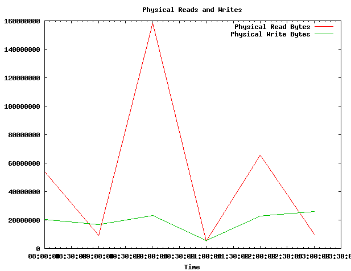
two more sample images generated out of the awr data:

according to the documentation granting the “manage tablespace” privilege to a user should allow:

  • take tablespaces offline and online
  • begin and end tablespace backups

let’ see if this is true:

SQL> create tablespace tbs1 datafile '/oradata/demo/dbf/tbs1_01.dbf' size 1m;
Tablespace created.
SQL> create user a identified by "a";
User created.
SQL> grant create session, manage tablespace to a;
Grant succeeded.
SQL> connect a/a
Connected.
SQL> alter tablespace tbs1 offline;
Tablespace altered.
SQL> alter tablespace tbs1 online;
Tablespace altered.
SQL> alter tablespace tbs1 begin backup;
Tablespace altered.
SQL> alter tablespace tbs1 end backup;
Tablespace altered.
SQL> 

but this is possible, too:

SQL> show user;
USER is "A"
SQL> alter tablespace tbs1 rename to tbs2;
Tablespace altered.
SQL> 

this is probably nothing you’d except to work …

when loading lots and lots of data to the database it is often better for performance to create the indexes and constraints after the load ( given the loaded data is consistent ). if there are some cpus available doing this in parallel would be a nice option so I started to look what perl can do for me in this case. there is a little module available on cpan called Parallel::ForkManager. below is a simple perl script which executes four scripts in parallel using this module. this example uses postgresql but you may replace the psql call with sqlplus and you’re done if you want to use it with oracle.

#!/usr/bin/perl
use Parallel::ForkManager;

my ( @sqlFiles     # the set of sql-scripts to execute
   , $pm           
   );
push ( @sqlFiles, 'scripts/01.sql' );
push ( @sqlFiles, 'scripts/02.sql' );
push ( @sqlFiles, 'scripts/03.sql' );
push ( @sqlFiles, 'scripts/04.sql' );
my $arraysize = @sqlFiles;
# set the amount of forks to the count of the sql script array
# do not set this greater than the number of CPUs available
$pm = Parallel::ForkManager->new($arraysize);
foreach my $file ( @sqlFiles ) {
  $pm->start and next;     # do the fork
  my $result = `psql -f $file`;
  print "result: $result \n";
  $pm->finish;             # do the exit in the child process
}
1;

the sql scripts in this case just create an index on each column of a test table:

$ cat scripts/01.sql 
select pg_backend_pid();
create index i1 on t1(a);
$ cat scripts/02.sql 
select pg_backend_pid();
create index i2 on t1(b);
$ cat scripts/03.sql 
select pg_backend_pid();
create index i3 on t1(c);
$ cat scripts/04.sql 
select pg_backend_pid();
create index i4 on t1(d);

of course it can be anything else but just creating indexes.